Search for “salon accounting software” and you will find booking apps, general accounting packages and all-in-one systems, all claiming to do the job. They are not the same thing, and picking the wrong one usually means a second subscription, a spreadsheet on the side, or an accountant’s bill that keeps growing.
This guide explains the three ways salons, spas and barbershops keep their books today, what each one really costs you in time, and an eight-point checklist you can use to test any software before you commit.
What salon accounting software has to handle
A salon is not a simple shop. In a single day you take cash, cards and bank transfers, split one bill across two payment methods, collect tips for staff, take deposits for weddings and packages, pay commission and pay card-machine fees. General software treats most of that as “sales”. Salon accounting software has to keep each one in its right place:
| What happens in the salon | Where it must go in the books |
|---|---|
| Service and product sales | Income, split by service and retail |
| Tips added to a bill | A liability owed to staff, not income (why) |
| Booking deposits and prepaid packages | A liability until the service is done (why) |
| Card payments | Money on its way to the bank, with the card fee as an expense |
| Wages, commission and staff advances | Payroll expense, with advances as money staff owe you |
| VAT, GST or sales tax | A tax liability, kept apart from your sales |
The three ways salons keep their books
1. Spreadsheets
Free and flexible, and many salons start here. The problem is that nothing checks itself. A formula gets overwritten, a day is typed twice, card fees are forgotten, and you only find out when the bank balance and the sheet disagree. Spreadsheets also cannot tell you who changed a number.
2. A booking platform plus separate accounting software
Popular salon platforms focus on bookings, the client app and payments, and connect to accounting software for the books. Fresha launched native Xero and QuickBooks integrations in July 2026, and Vagaro offers a QuickBooks Online integration. Many other systems connect through third-party sync tools.
This is a solid set-up, but it is two systems. You pay two subscriptions, someone has to map every type of sale to the right account, and when the two disagree you have to work out which one is right.
3. A salon POS with double-entry accounting built in
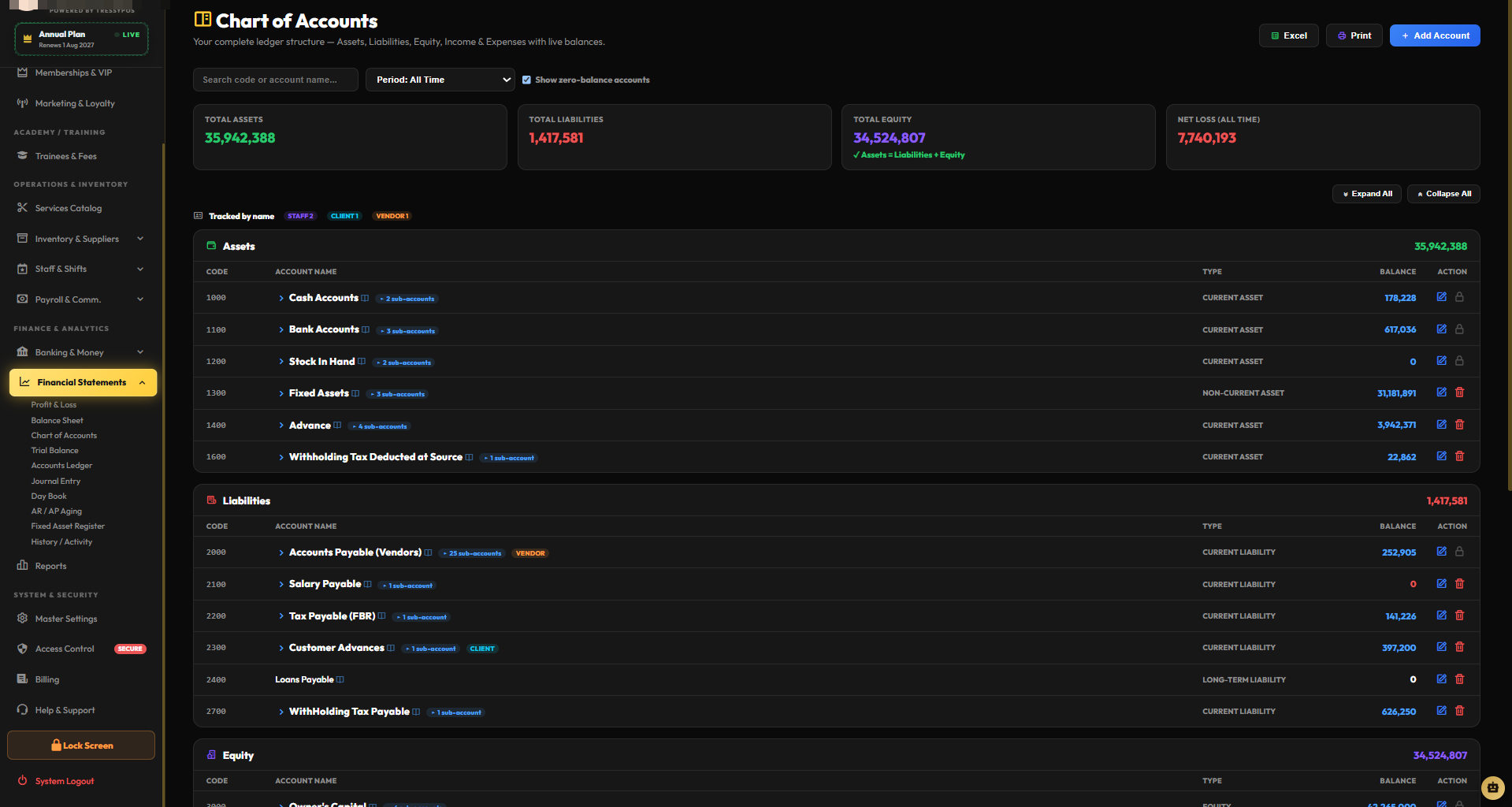
Here the till is the accounting system. Every bill, expense, tip, deposit and wage posts straight into proper double-entry books the moment it happens, so there is nothing to sync and nothing to re-type. This is how TressyPOS works.
| Spreadsheets | Booking app + accounting software | POS with built-in accounting | |
|---|---|---|---|
| Systems to run | 1 (plus a till) | 2 | 1 |
| Re-typing or syncing | Everything | A sync to set up and watch | None |
| Tips and deposits kept apart from sales | Only if you remember | Depends on the mapping | Automatic |
| Trial Balance, P&L, Balance Sheet | Built by hand | In the accounting software | Built in, updated live |
| Subscriptions | None | Two | One |
An eight-point checklist for any salon accounting software
Ask for a free trial and test these eight things with real-looking bills. Any software worth paying for will pass most of them.
- Real double-entry books. It produces a Trial Balance that balances, a Profit & Loss and a Balance Sheet — not just a sales report.
- A daily close. At the end of the day you can count the drawer and see exactly what should be there, including split and card payments.
- Tips are not income. A tip on a bill goes to a staff liability and flows into that person’s pay.
- Deposits wait. A deposit sits as a liability and only becomes a sale on the day of the service.
- Card fees are recorded. The machine’s fee shows as an expense, so your bank matches your books.
- Payroll is connected. Attendance, commission and advances feed the payslip without a separate spreadsheet.
- Your tax is ready. VAT, GST or sales tax is calculated on the bill and reported on its own.
- Your accountant can use it. Reports export cleanly to Excel or PDF, and every change leaves a history.
Try the checklist on real software
Open TressyPOS, make a test bill with a card payment, a tip and a deposit, then look at the Trial Balance. 30 days free, no credit card.
Start Free TrialHow to choose: four questions
- Who does your books? If an accountant already runs Xero or QuickBooks for you and is happy, a platform with a good sync may suit you. If you want to see your own numbers every day without waiting for anyone, built-in accounting is simpler.
- How much cash do you handle? The more cash and split payments, the more you need a daily close that checks the drawer against the books.
- How is your team paid? Commission, tips and advances are where most salon books go wrong. Choose software that handles them in the same place as the sales.
- How many locations? With more than one branch, check that each branch has its own figures and that you can also see the whole business together.
Where TressyPOS fits
TressyPOS was built by a team that runs its own salon, because the books never matched the till. It is one system for billing, double-entry accounting, payroll and attendance, online booking and reports, made for salons, spas and barbershops.
- Every bill posts to the books instantly: sales, tips to Tips Payable, deposits to Customer Advances, tax to its own account.
- A Day Close checks the cash drawer, and card-machine fees can be recorded automatically at your own rates.
- Trial Balance, Profit & Loss, Balance Sheet, Chart of Accounts, Journal Entries and bank reconciliation are built in.
- A Books Health Check looks for mistakes on its own, so problems are found before the accountant finds them.
- Billing keeps working when the internet drops, and syncs when it is back.
- Works in any web browser and as a Windows desktop app, with the tax name and currency you set.
Need something specific to the way your salon works? Tell us. New features are added regularly, and many of them started as a request from a salon owner.
Pricing is simple: every plan includes every feature. It is $49 a month, $249 for six months or $399 a year, with a 30-day free trial and no credit card required.
Information about other products is based on their public announcements as of September 2026 and may change. This article describes general bookkeeping practice; it is not tax or legal advice.